

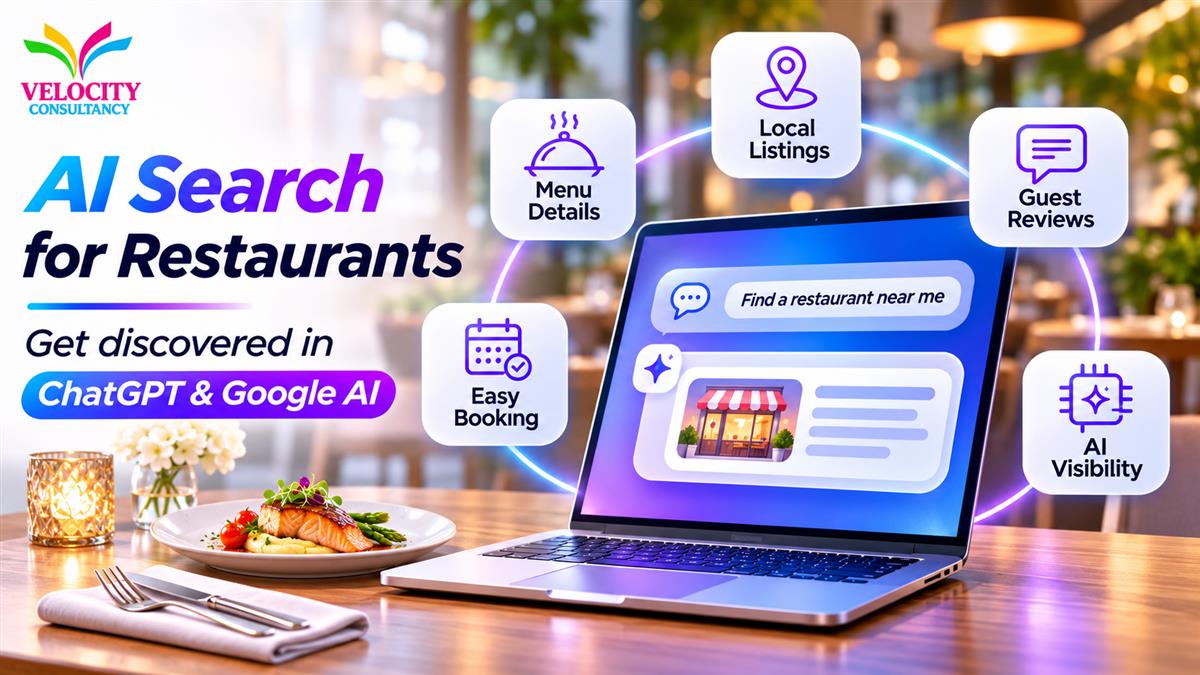
A diner planning an evening out may ask, “Where can six people have a vegetarian dinner near Andheri, with parking and a table available tonight?” That question is more specific than “restaurants near me.” It also demands more information than a business name, a photograph and a short description.
AI search visibility for restaurants starts with making the facts diners need easy to find and verify: your menu, location, opening hours, dining options, booking process and genuine customer experience. Clear information can help people assess your restaurant when they discover it through ChatGPT, Google or another search experience.
There is no guaranteed formula for appearing in an AI answer. This guide separates documented platform requirements from practical improvements your restaurant team can make.
Understand the difference between ChatGPT and Google AI
Google’s AI Overviews and AI Mode are features within Google Search. Google says that established SEO practices remain relevant and that no additional special optimization is required for these experiences. See Google’s guidance on AI features and websites.
ChatGPT can search the web and use location information for local results. It can also help users find restaurant reservations through supported providers where available. A mention, a linked source and a bookable restaurant result are different outcomes. OpenAI states that search placement is not guaranteed.
For your restaurant, the useful question is: can a potential guest find accurate information, decide whether the venue suits them and complete the next step?
1. Keep your restaurant’s local information current
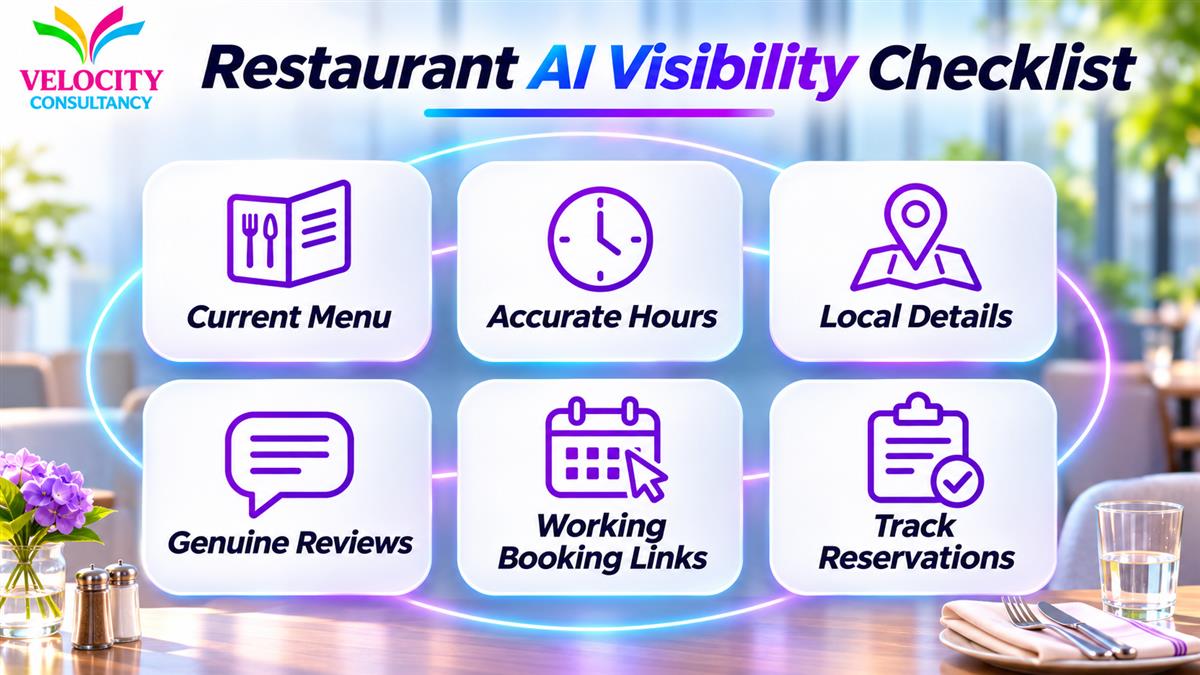
Review your website and the business profiles you manage together. Check the restaurant name, address, map location, phone number, cuisine, hours and website links. For multiple locations, verify each branch separately.
Google recommends accurate, complete Business Profile information and updated hours. Its local results consider relevance, distance and prominence; this is guidance for Google’s local ecosystem, not a universal ChatGPT ranking formula. Google’s local ranking guide explains these principles.
Restaurant details change quickly. Give someone responsibility for updating:
- Holiday hours, temporary closures and private-event restrictions.
- Lunch, dinner and kitchen service times where they differ.
- Menu, reservation and delivery links.
- Accurate parking, entrance and accessibility information.
- Branch-specific contact numbers and dining options.
For example, “open until 11 pm” may be misleading if the kitchen stops accepting orders at 10 pm. Explain the distinction where diners will see it. Our Google Business Profile optimization services can help review local information and profile completeness.
Your menu is one of the most useful pieces of information you own. Give it a stable page on your website, with readable dish names, descriptions and current prices where applicable. A downloadable menu can be convenient, but a clear web version gives visitors another way to inspect it.
Avoid making an image or a social-media post the only place where essential menu information appears. On a phone, guests should be able to read the menu without excessive zooming or searching through several downloads.
Use labels your kitchen can support. Explain vegetarian options, customisation and seasonal availability accurately. Do not describe a dish as allergen-free unless your team can substantiate that claim; direct guests with specific requirements to the restaurant for confirmation.
If prices or dishes differ between branches or between dine-in and delivery, make the distinction clear. Remove outdated menus rather than leaving several conflicting versions online.
3. Answer the questions that decide a booking
Ask your front-of-house team which questions come up repeatedly. Turn those answers into a useful section on the restaurant or branch page.
- Can guests reserve for a group, and how should larger parties enquire?
- Are walk-ins welcome, and when is booking recommended?
- What parking or public-transport options are nearby?
- Is outdoor seating available, and is it weather-dependent?
- What should guests know about children, celebrations or private dining?
- Which dietary requests can the kitchen discuss in advance?
Specific answers are more helpful than repeatedly describing the restaurant as “perfect for every occasion.” For instance, an illustrative group-booking answer could explain that parties above a certain size should contact the team to discuss seating and menu options. Use your actual policy rather than copying another restaurant’s threshold.
This approach is closely related to answer engine optimization: making useful answers clear and accessible. It is not a promise that a particular question format will earn a citation.
4. Show the real dining experience
Use recent photographs of your actual food, dining room, entrance and seating. An attractive dish photograph helps set expectations, while an entrance photograph can help a first-time guest recognise the venue.
Write descriptions that fit what you genuinely offer. Explain whether the setting is informal, suited to quick lunches or available for private events. Add the relevant conditions instead of relying on broad labels such as “family-friendly” or “luxury dining.”
Ask guests for honest feedback and respond professionally to reviews. Do not fabricate testimonials or claim a rating that belongs to a different branch. Treat recurring feedback as operational information: complaints about unclear parking or booking instructions may reveal something you can fix on the website.
Original photography and real customer evidence matter here. The illustrations in this guide explain a marketing concept; they should not replace photographs of a restaurant’s actual food or premises.
5. Make your restaurant website accessible to search systems
Ask your developer to check that important pages load correctly, are accessible without a login and have no accidental indexing restrictions. Menus and branch information should be linked from navigation that visitors can understand.
OpenAI recommends allowing its search crawler, OAI-SearchBot, and permitting its published crawler IP ranges through hosting or content-delivery controls. Search access is separate from GPTBot’s potential model-training use. Allowing access does not guarantee inclusion. See OpenAI’s crawler documentation.
On a phone, test the full journey from finding the menu to calling or booking. Look for unreadable text, intrusive overlays, broken buttons and pages that stall. Have your developer investigate specific crawler blocks rather than turning off security protection indiscriminately.
These checks belong in an ongoing technical and local SEO review, alongside your wider restaurant marketing activity.
6. Use accurate restaurant structured data
Structured data describes page information in a machine-readable format. Google’s LocalBusiness documentation includes a Restaurant example and properties for information such as the business name, address, cuisine, opening hours and menu URL. Use the most relevant type and follow the official LocalBusiness guidance.
Have your developer check what the website already outputs before adding more markup. A restaurant’s details must describe the correct location and match visible information. Do not copy ratings from another venue or add services that are not offered.
Schema is not a special invitation into AI search. It also does not fix an outdated menu, a misleading address or a reservation link that fails. Keep the underlying information accurate first.
7. Connect discovery to a working reservation route
Choose a clear primary booking action on your website. It might open your booking provider, start a reservation request or show the number guests should call. Explain whether a request is immediately confirmed or needs a reply from the restaurant.
Test that each branch’s button opens the correct venue. Review availability settings, group restrictions and any booking conditions through the provider you use. Remove old links after changing systems.
ChatGPT’s reservation options depend on supported providers, availability and eligibility. Adding restaurant schema or a booking button alone does not enrol a venue in an integrated reservation experience. Keep the channels you already use accurate and consult the relevant provider about its integration options.
8. Measure reservations and useful visits
Build a small list of realistic diner questions, including your area and genuine attributes. Examples might include “vegetarian dinner near Andheri with parking” or “restaurant for a group lunch near our office.” Avoid inventing attributes simply to match a popular query.
Record the date, platform, question, restaurant mentions and cited pages. Treat these checks as observations, not permanent ranking positions.
Then review outcomes you can measure: website visits, menu views, reservation-link clicks, confirmed bookings and relevant calls. Keep a click separate from a completed reservation. If your booking provider supports source reporting, use it to connect more of the journey. Guest answers to “How did you find us?” can add context but should remain separate from tracked referrals.
A practical first-month plan
| Week | Priority | Useful outcome |
|---|---|---|
| 1 | Review branch details, hours and menu links. | A consistent set of accurate restaurant facts. |
| 2 | Improve the menu page and booking questions. | Information diners can use before contacting you. |
| 3 | Check mobile usability, crawler access and existing schema. | A working website and reservation route. |
| 4 | Review discovery and booking activity. | A baseline and a prioritised list of improvements. |
This is a work plan, not a deadline for appearing in ChatGPT or Google’s AI features.
Frequently Asked Questions
Can a small independent restaurant appear in ChatGPT or Google AI?
Yes, an independent venue can be relevant to a specific diner question. Accurate information, useful pages and accessible content give you a sound foundation, but neither platform guarantees a recommendation.
Is a Google Business Profile enough?
It is important for Google’s local ecosystem, but it is not a universal listing system for every AI platform. Your own website gives you more space to explain the menu, branch details, dining experience and booking policies.
Should my menu be a PDF or a web page?
A readable web page is a useful primary option, with a downloadable menu if guests need one. Keep both current and make it clear when menus differ by branch, service or season.
Do more reviews guarantee AI visibility?
No. Genuine reviews help guests evaluate a restaurant, but there is no universal review count that guarantees an AI mention. Focus on honest feedback, accurate claims and the dining experience behind them.
Does Restaurant schema automatically enable bookings in ChatGPT?
No. Structured data describes information; it does not automatically connect your restaurant to a reservation provider. Integrated booking availability depends on the platform and provider arrangements.
How quickly will restaurant AI SEO produce results?
There is no dependable universal timeline. Fixing an incorrect menu or broken booking link can improve the customer journey immediately, while search discovery and selection depend on other factors. Track useful outcomes rather than promising a fixed ranking date.
Make your restaurant easier to discover and choose
Restaurant AI visibility begins with details that diners can trust. Keep the menu readable, the hours accurate, the experience genuine and the booking route clear. Improve those foundations before investing in tactics that promise guaranteed AI recommendations.
Velocity Consultancy’s AI search optimization services can help assess your website, content structure and search accessibility. Contact our team to discuss your restaurant’s locations, booking journey and practical priorities.


 15+ Years Of Expertise
 100% Confidential